




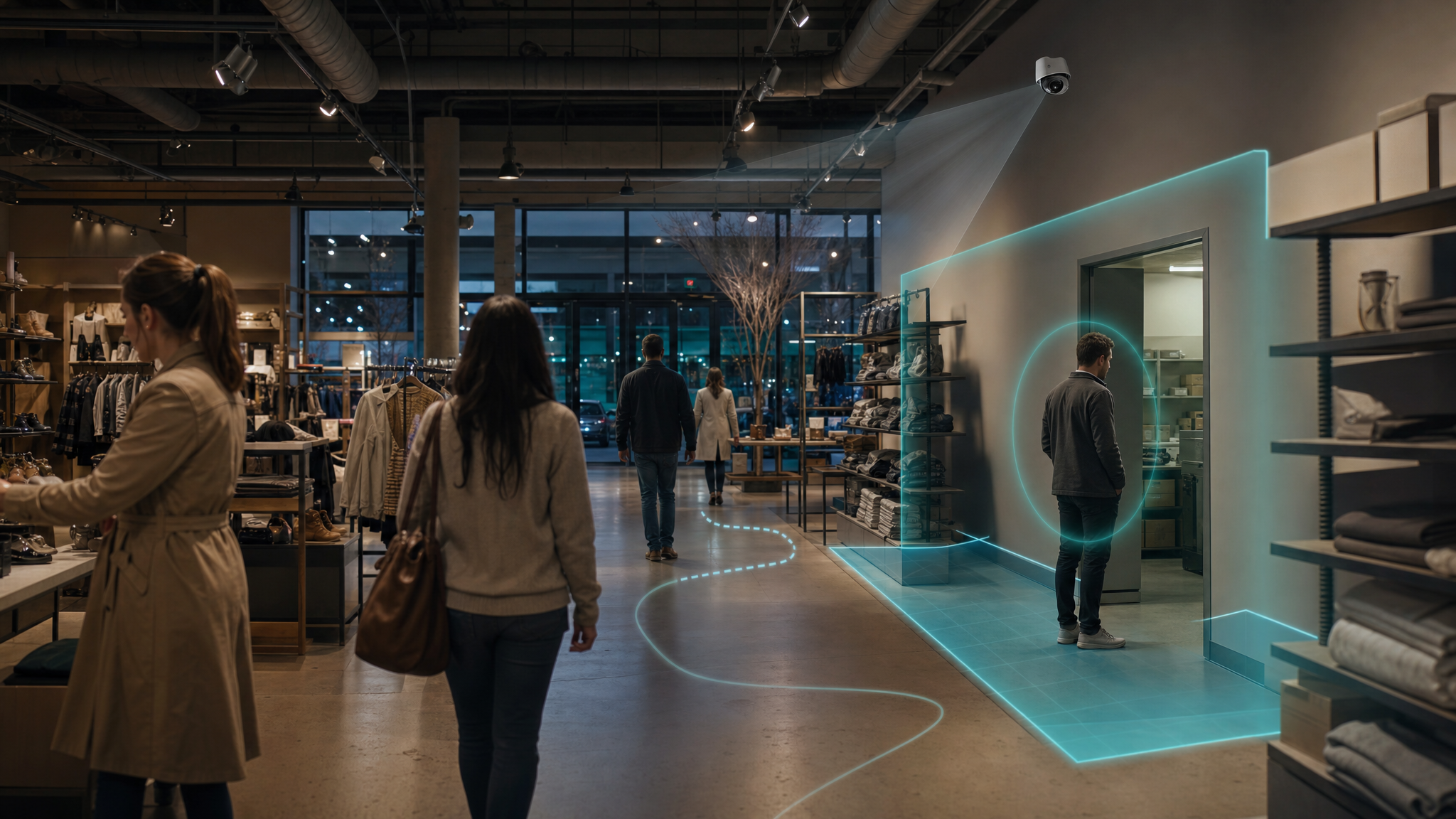


How AI video analytics detects loitering and trespassing in 2026
Loitering detection is the automated identification of a person or vehicle that stays inside a defined area longer than expected for that space and time of day. AI video analytics handle this by reading context, dwell time, restricted zones, movement patterns, and time-of-day signals instead of relying on basic motion alerts. This guide explains, step by step, how the technology separates ordinary customer activity from behavior that may warrant a closer look, and where retail teams put it to work.
Key takeaways
- Loitering detection measures how long someone stays in a zone, not just whether something moved.
- AI combines object detection, tracking, zone rules, dwell-time thresholds, and time-of-day context to flag behavior for review.
- Trespassing and perimeter intrusion detection are related: they focus on unauthorized presence and boundary crossings, not dwell time.
- Context tuning (zone type, business hours, object class) is what reduces false alarms and alert fatigue.
- Camera-agnostic platforms can layer these analytics onto existing cameras, then trigger deterrence and preserve time-stamped evidence.
What loitering detection means in retail security
In retail, loitering detection flags people or vehicles that remain in a monitored area longer than the normal pattern for that space. The idea is narrower than general video and more specific than motion alerts. It cares less about whether something moved and more about how long it stayed, where it stayed, and whether that dwell behavior fits legitimate use of the property.
That definition is contextual by design. A shopper browsing a grocery aisle for ten minutes during peak hours is routine. The same dwell time at a locked side entrance after closing reads very differently. A reliable video AI system surfaces that distinction for a human to judge, rather than assuming intent.
Key terms
- Dwell time: how long a tracked person or vehicle stays inside a defined zone.
- Zone (polygon): a virtual area drawn over a camera view, such as a stockroom doorway or fuel island.
- Line-crossing detection: a rule that fires when an object crosses a perimeter line, like a fence or property boundary.
- Context-aware detection: analysis that weighs zone type, time of day, object class, and movement before flagging behavior.
How AI video analytics detects loitering and trespassing, step by step
The pipeline behind AI loitering detection is consistent across deployments, even when the products differ. Here are the core stages from camera feed to evidence:
- Ingest the feed. The system reads video from existing IP or ONVIF cameras, standardizes resolution and frame rate, and adjusts for lighting.
- Detect objects. A computer vision model locates and classifies entities like people, cars, and trucks in each frame. Research systems using detectors such as YOLO have classified and tracked trespassers with precision, recall, and F1 scores above 92% while running faster than the recorded frame rate (Source: Li et al.).
- Track over time. A tracking algorithm links detections across frames so the system knows the person near the entrance at 10:02 is the same one near the stockroom at 10:07.
- Map to zones. Teams draw polygons over the camera view for areas like a parking lot perimeter, fuel island, loading dock apron, or employee corridor.
- Measure dwell and rules. For each tracked object, the system logs entry time, dwell duration, and zone crossings, then compares them to thresholds set per zone and time window.
- Read movement patterns. Beyond dwell time, models weigh repeated circling, stopping patterns, and direction of travel against learned patterns of normal activity.
- Generate alerts and deter. When rules are met, the system routes alerts and can trigger actions such as lighting changes, an audio talk-down, or notifying the right team.
- Preserve evidence. The matching video segment is bookmarked as time-stamped evidence for investigations or law enforcement.
Loitering vs. trespassing vs. perimeter intrusion vs. motion detection
These four detection modes all run on video, but they measure different things. Choosing the right mix depends on the zone and the risk you want to catch.
| Detection mode | Primary focus | Typical retail use |
|---|---|---|
| Motion detection | Any change in pixel values | Recording triggers, flagging activity periods |
| Loitering detection | Extended dwell time in a defined zone | Parking-lot lingering, storefront and aisle dwell |
| Trespassing detection | Presence in restricted or off-limits areas | Stockroom doors, back corridors, fenced yards |
| Perimeter intrusion detection | Crossing into property from outside the boundary | Back-of-store perimeters, loading dock lines, after hours |
Motion detection is the simplest layer: it signals that pixels changed, but not what changed or for how long. In a busy store it fires constantly. Loitering detection adds object tracking and temporal context. Trespassing detection treats any presence in a restricted zone as a possible violation, often paired with access control. Perimeter intrusion detection uses line-crossing rules to catch entry at the boundary. Most retailers run them together to cover different phases of an event.
How AI tells normal browsing from concerning lingering
This is the question every loss prevention leader asks. Retail is built on browsing and waiting, so blunt dwell-time thresholds would flag ordinary shoppers. The answer lies in layering signals rather than relying on time alone.
Normal activity follows recognizable paths: enter, head to a department, browse, move toward checkout. Behavior worth a second look might involve repeated visits to a high-value display without product interaction, extended presence at side doors, or circling the perimeter near exits. Models trained on a site's own footage learn those baselines and assign higher attention to movement that diverges from them.
Time of day reframes everything. Loitering near a storefront mid-afternoon is usually benign. The same dwell at a back door after midnight is a stronger risk signal. Zone type matters too: lingering in a café seating area is fine, while lingering at an access-controlled stockroom entrance is not. Good context-aware detection combines dwell time, zone, time window, and movement before it surfaces anything for review.
Where retailers put loitering and trespassing detection
Placement should follow your risk map, not blanket every camera with the same sensitivity. High-value zones for retail loitering detection include:
- Parking lots and fuel stations: vehicles lingering near entrances or fuel islands, with shorter dwell thresholds at pumps for fire safety.
- Storefronts, side entrances, and curbside areas: extended presence that affects customer comfort, plus vehicles overstaying pickup windows.
- Loading docks and stockroom doors: trespassing detection for unauthorized presence and lingering that suggests reconnaissance.
- Closed stores and after-hours perimeters: line-crossing and dwell rules around back doors, rooftops, and external storage when the site is dark.
The business case is grounded in where risk is shifting. A year-end 2024 analysis across 29 U.S. cities found shoplifting was the only one of thirteen major offenses to rise from 2023 to 2024, up 14%, while most other crimes fell (Source: Council on Criminal Justice). Over 2019 to 2024, nonresidential burglaries rose 12% and motor vehicle thefts climbed 53% (Source: Council on Criminal Justice). That pattern points loss prevention attention toward perimeters, parking lots, and receiving areas.
Tuning to cut false alarms
False positives are the main reason analytics get ignored. Normal customer browsing, deliveries, weather, headlights, and even animals can create noise if rules lack context. A disciplined tuning approach keeps alerts trustworthy:
- Define a clear objective for each zone, such as flagging dwell near a stockroom door versus monitoring entrance comfort.
- Collect baseline data in observation mode to learn typical dwell times before alerts go live.
- Adjust thresholds, zones, and time-of-day rules after a pilot, raising or lowering sensitivity based on results.
- Integrate other data sources, like access control logs or staff schedules, to suppress alerts for recognized activity.
This matters because even strong systems make mistakes. The same trespassing research that scored above 92% still logged 32 false negatives and 20 false positives across 104 hours of video (Source: Li et al.). Treat analytics as decision support and keep human judgment in the loop. For deeper benchmarks on perimeter coverage, the AI Security Guard approach pairs context-aware detection with deterrence and case-ready evidence on existing cameras.
Putting it together with cameras you already own
One practical takeaway: most teams do not need to rip and replace hardware to gain these capabilities. Camera-agnostic platforms layer analytics onto existing ONVIF cameras, then route alerts and trigger deterrence such as lights, sirens, or an audio talk-down. Spot AI is one example of this approach, turning existing cameras into AI coworkers that detect in context and preserve time-stamped evidence.
A specialty beauty retailer with more than 3,000 locations took this path, starting with parking-lot deterrence and yard truck monitoring across six distribution centers before scoping indoor coverage.
"Easy to use, IT is happy it's web-based, and our employees feel safer in their parking lots."
Mike T., Director of Asset Protection, specialty beauty retailer (3,000+ locations)
The throughline for loss prevention leaders is steady: define your high-risk zones, set context-aware rules, and route alerts to the right people so footage becomes action rather than archive. For a closer look at the security workflow, see Spot AI's related reading on AI video analytics for retail security.
Frequently asked questions
What does loitering detection mean in retail security?
It means automatically identifying a person or vehicle that stays in a defined area longer than normal for that space and time. Unlike general monitoring, it focuses on dwell time within mapped zones. The goal is to surface behavior for human review, not to assume intent.
How is loitering detection different from motion detection?
Motion detection only signals that pixels changed, with no sense of what moved or how long it stayed. Loitering detection adds object detection and tracking to measure dwell time inside specific zones. That temporal context is why it produces far fewer meaningless alerts in busy stores.
How can AI tell normal customer activity from suspicious lingering?
AI layers signals: dwell time, zone type, time of day, object class, and movement patterns like repeated circling. A model trained on a site's own footage learns normal paths and weighs deviations against them. A pause at a café reads differently than lingering at a locked stockroom door after hours.
Where should retailers use loitering and trespassing detection?
Start with high-risk zones: parking lots, fuel islands, storefronts, side entrances, curbside pickup, loading docks, stockroom doors, and after-hours perimeters. Use shorter dwell thresholds near fuel pumps and time-of-day rules for closed stores. Map your risk first, then expand based on results.
Do I need new cameras for AI loitering detection?
Often not. Camera-agnostic, ONVIF-compatible platforms can add analytics to existing IP cameras without a full replacement. That lets teams gain context-aware detection, deterrence, and time-stamped evidence while reusing current infrastructure.
About the author
Dunchadhn Lyons, Director of AI Engineering. Dunchadhn Lyons leads Spot AI’s AI Engineering team, building real-time video AI for operations, safety, and security—turning video data into alerts, insights, and workflows that cut incidents and boost productivity.

