




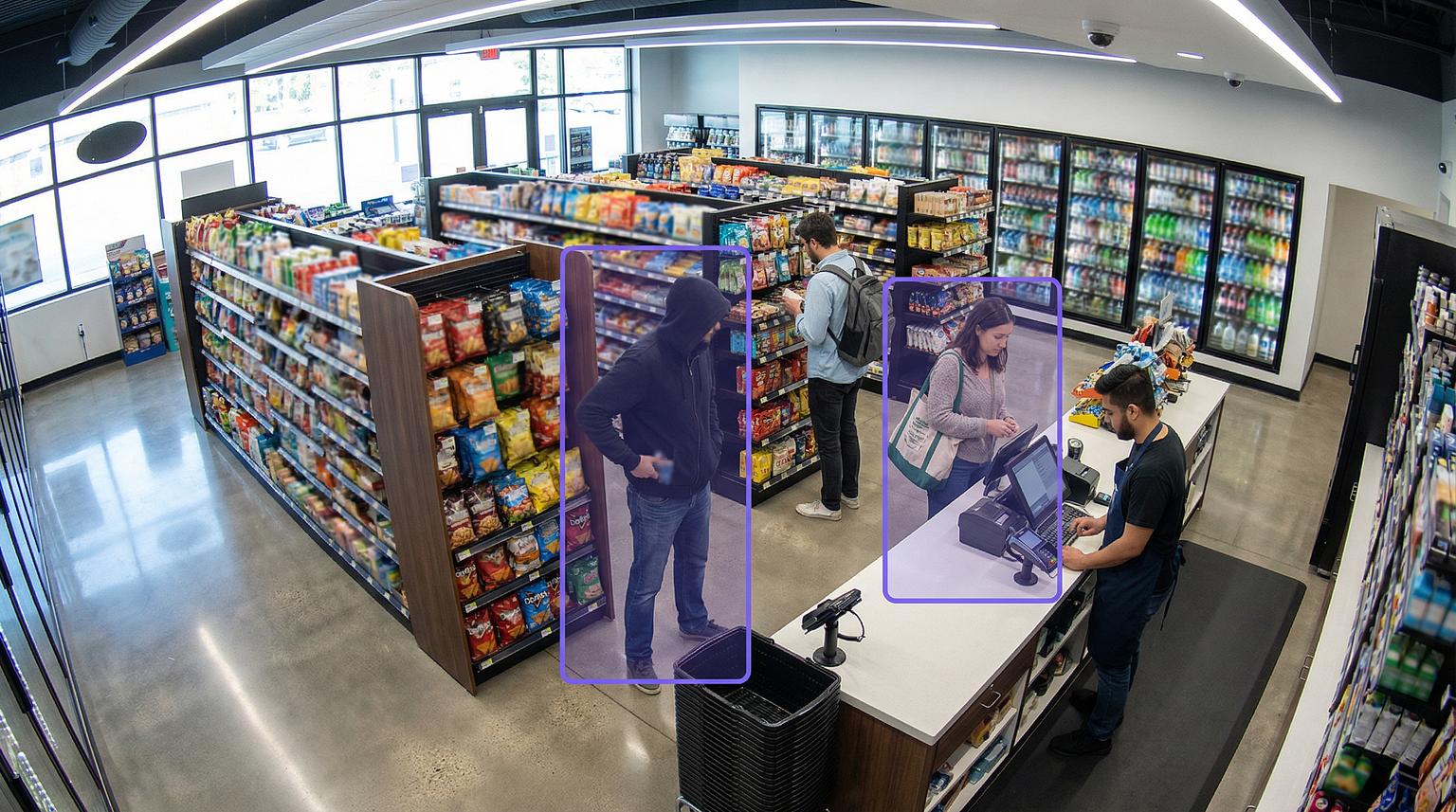


Convenience store security cameras: a 2026 coverage design guide for fuel and c-store sites
Convenience store security cameras do their job when each zone of a fuel and convenience site gets the view and the detail it needs: plates at the lanes, hands and cash at the counter, and dwell time across the lot after dark. The pressure on that design is shifting, not easing. Retailers reported 12.4% fewer shoplifting incidents in 2025 than in 2024, yet 50% saw higher rates of repeat offenders and 63% report fewer than half of their incidents to law enforcement (Source: National Retail Federation). This guide, drawn from Spot AI's work with fuel and convenience operators, maps six coverage zones, the overnight plan for 24-hour stores, a weekly exception review, and a checklist for mixed store formats.
Key takeaways
- Specify each zone by detail tier, not by camera count: federal guidance sets 20 pixels per foot for observation, 40 for forensic review, and 80 for recognition tasks such as reading a plate.
- A fuel and convenience site has six zones that fail in different ways: the forecourt and pumps, the entrance, the register, the cooler and high-theft aisles, back of house, and the lot after dark.
- Spot AI runs on the cameras a store already owns, connecting ONVIF IP cameras directly and legacy analog units through its Intelligent Video Recorder (IVR).
- Spot AI takes the first overnight response off the associate on shift: it detects loitering on the lot, deters with a natural-conversation talkdown, strobes, and horns, and routes the clip to a remote lead.
- A weekly exception review that closes every item as explained, coaching, or case turns detections into finished cases.
Key terms
- Pixels per foot (ppf): a camera's horizontal pixel count divided by the width of the scene in feet. It decides whether a view can read a plate or only show that a car arrived.
- Dwell time: how long a person or vehicle stays inside a defined zone. Spot AI's loitering detections fire when dwell passes a set threshold, so a two-minute fuel stop and twenty minutes idling behind the building are treated differently.
- Exception-based reporting (EBR): flagging point-of-sale (POS) transactions outside normal patterns, such as no-sale drawer opens, refunds, and voids, so reviewers see only the outliers. Spot AI links each exception to the video from the same moment.
- Context-aware detection: detection that weighs location, time of day, and how people, vehicles, and objects relate before it fires. Spot AI's detections tell a delivery truck at the receiving door from a vehicle casing the lot, which means fewer false alarms.
Where the loss sits, and how to size it for one store
Shrink is the gap between the inventory a store's records show and what is actually on the shelf. US retail shrink reached $112.1 billion in fiscal 2022, the average shrink rate rose to 1.6% of sales, and internal and external theft made up nearly two thirds of it (Source: National Retail Federation).
At the all-retail average shrink rate of 1.6% (NRF, FY2022), a location with $2 million in annual sales would carry about $32,000 of shrink a year, and one with $3.1 million about $50,000. Rates vary by retail sector, so read these as a planning scale, not a c-store benchmark. The design question is which zones those dollars pass through, and a plan built around the register and the front door leaves the forecourt, the cooler run, and the receiving door to chance.
C-stores add long hours, thin crews on every shift, and a forecourt the associate can't see from the register. Our convenience store loss prevention guide covers where c-store shrink originates and how to read the transaction record, and this page is the camera and video AI side.
Where to put convenience store security cameras, zone by zone
Start from the detail each zone needs, then place cameras to deliver it. The Digital Video Quality Handbook, a federal design guide from the video quality program the Department of Homeland Security set up with the National Institute of Standards and Technology (NIST), sets minimums in pixels per foot: 20 for observation, 40 for forensic review, and 80 for recognition tasks such as reading a license plate (Source: NIST). A camera 1,920 pixels wide therefore holds recognition detail across 24 feet, forensic detail across 48 feet, and observation across 96 feet.
These tiers sit close to the IEC 62676-4 levels that our lot and forecourt coverage guide uses. The table sets a tier for each zone:
Zone | What the view has to show | Detail tier | What Spot AI does with it |
|---|---|---|---|
Forecourt and pumps | Each pump face and door panel, and every vehicle entering and leaving | 40 ppf at pump faces, 80 at the lanes, 20 across the canopy | Spot AI flags vehicles that loiter past a set time and logs plates of interest at the lanes |
Entrance and vestibule | Every person crossing the threshold, lit from the front rather than silhouetted by the glass | 40 ppf at the door | Spot AI counts traffic by hour and flags loitering and crowding at the door |
Register and counter | The drawer, the counter surface, both people's hands, and the item being scanned | 80 ppf across the counter | Spot AI links POS exceptions to the matching clip and pings the team when a customer waits at an unattended register |
Cooler and high-theft aisles | The cooler doors or walk-in entry, and the aisles of beer, energy drinks, and other fast movers | 40 ppf at the cooler run, 20 down the aisles | Spot AI maps aisle traffic with heat maps and flags loitering in high-theft zones |
Back of house | The receiving, stockroom, and office doors and the safe, including who opens each and when | 40 ppf at every door | Spot AI flags unauthorized entry and tailgating at the rear door outside scheduled hours |
The lot after dark | Parking rows, the building's sides and rear, the dumpster area, and the air and vacuum stations | 20 ppf across the lot, 80 at the entrances | Spot AI detects person and vehicle loitering after hours and escalates from a natural-conversation talkdown to strobes and horns |
Write the tier next to each zone before anyone orders a camera. A 1,920-pixel camera asked to read plates across a 60-foot lane opening will record the car and miss the plate, and no setting recovers pixels that were never captured.
Forecourt and pumps
Federal Trade Commission guidance for station operators tells staff to inspect pumps daily, log the serial numbers on pump security seals, and check the ID of anyone who claims to be a technician on unscheduled work (Source: Federal Trade Commission). A camera angle on each pump's door panel turns that check into a record of who opened the cabinet and when. Mount plate cameras low and near the lane's axis rather than on the canopy, and see our gas station and forecourt camera guide for pump-by-pump placement.
Entrance and vestibule
Glass doors backlight anyone standing in them by day, so the entrance camera belongs inside, facing the door, with wide dynamic range on. Height markers on the exit door give witnesses and video the same reference, and the same view carries people counting, which shows when an extra associate would actually be busy.
Register and counter
The counter needs two angles: one overhead for the drawer and the scanned item, and one facing the customer side of the transaction. Keep the register in plain view from the forecourt and the street. Refund, void, and no-sale patterns are covered in our guide to cash register theft.
Cooler and high-theft aisles
The beer cave, the walk-in door, and the energy-drink run are where the associate's back is turned during restocking, and they hold the fastest-moving stock. Keep shelving low so sightlines from the counter stay open, and where the layout can't, cover the gap at forensic detail. Aisle heat maps from the same cameras also inform layout.
Back of house
The receiving door carries deliveries, trash runs, and the occasional unlogged visit, and a register-first plan tends to miss it. The Occupational Safety and Health Administration (OSHA) recommends locking doors used for deliveries and garbage removal when not in use and scheduling deliveries during normal daytime hours (Source: OSHA). Put forensic detail on each back-of-house door rather than on every shelf, since the question after an incident is who went through which door and when.
The lot after dark
Night coverage is a lighting problem first: asphalt reflects less light than concrete, so an asphalt lot needs more light for the same image, and white LED fixtures are the efficient upgrade. Cover the dumpster and the rear of the building, where an associate walks alone, and give the lot entrances plate-level detail so a returning vehicle can be matched. Where a lot or forecourt has no usable camera coverage, VigilanteX, Spot AI's deployment partner, deploys a pole-mounted unit with a loudspeaker for voice deterrence and LED flood lighting. VigilanteX describes it as reporting into the same Spot AI dashboard as the store's own cameras.
Overnight at a 24-hour site
OSHA's late-night retail guidance names the risk factors as cash changing hands, solo work, alcohol sales, and poorly lit stores and parking areas, and its controls read like a camera plan: a register visible from outside, good lighting inside and out, cameras that make identification more likely, and drop safes that keep cash on hand low (Source: OSHA).
Where the associate stands matters too. A 2022 study in the Proceedings of the National Academy of Sciences (PNAS) coded video from 196 convenience-store robberies. Robbers were significantly more likely to injure employees who were out on the sales floor, rather than behind the register, when the robbery began, and a training script for that situation was associated with significantly fewer injuries over three years (Source: PNAS). Overnight restocking and trash runs pull the associate away from the counter, so the design should show them what is outside before they go.
Four design moves follow for a 24-hour site:
- Split day and night rules. A car idling by the air pump for ten minutes at noon is a customer, and the same car in the far corner at 3 a.m. is a dwell event, so tighten the night threshold zone by zone.
- Route the first alert off-site, to a remote loss prevention (LP) lead or monitoring partner rather than to the associate on shift.
- Let the camera speak first. Spot AI answers a loitering detection with a natural-conversation talkdown and escalates to strobes and horns, so nobody has to walk out to ask a car to move.
- Show the associate the lot before trash runs, ice, or a pump problem take them outside, and set a rule to wait while an event is active.
Blackmon Oil, an 11-location, fourth-generation family fuel and convenience business in rural Arkansas, runs six use cases on the cameras it already had. They include vehicle loitering, people counting in every store, aisle-level heat maps, and unattended checkout, and the team gets a ping when a customer reaches the register and no associate arrives within a couple of seconds. The company is also building a peel-off-rate agent of its own (peel-off rate is the share of fuel customers who also come inside). The vehicle loitering filter covers the overnight lot:
"We've set up a Spot AI vehicle loitering filter to keep our parking lots clean and safe, especially for our 24/7 stores. Even with a smaller overnight crew, we want eyes on the lot at night."
Kelsey Blackmon, Marketing & Technology VP, Blackmon Oil Co.
The weekly exception review
Detections and POS exceptions reduce loss only when someone closes them. Because most incidents never reach a law enforcement file, the store's own clip and notes are usually the whole case. A typical weekly queue holds these exception types:
Exception | What the clip has to show | Common innocent explanation | When it becomes a case |
|---|---|---|---|
No-sale drawer open | Who opened it, and whether a customer stood at the counter | Change for a regular or a lottery payout | It repeats on one associate's shifts with no customer present |
Refund or void | Whether the item and the customer were physically there | A scanning error fixed at the till | Refunds against an empty counter, or voids clustered after a large sale |
Cash drawer variance | The count against the shift's transactions | A miscount at shift change | The same variance on the same shift, week after week |
After-hours rear-door entry | Who opened the door, when, and what left with them | A scheduled delivery or a manager's late check | An entry outside the schedule that nobody logged |
Pump seal broken or cabinet opened | Who opened the cabinet and which vehicle they came in | Scheduled service by a known technician | Any opening that matches no service ticket |
Overnight lot dwell | The vehicle, its plate, and what the occupants did | A driver resting or waiting for a ride | A repeat plate across nights or across stores |
The routine that closes the queue runs in five steps:
- Watch the clip before reading the explanation. Spot AI auto-resolves routine detections, so the queue holds only the items that need a person.
- Close every item as explained, coaching, or case. Coaching means a private conversation with the clip on screen, and a pattern that repeats after two documented conversations becomes a case.
- Build cases that can travel. NIST's export profile, written at the FBI's request, points to export standards that carry MP4 files with H.264 video, timestamps, and digital signatures for chain of custody (Source: NIST).
- Tune one rule a week, starting with the detection most often closed as explained, and write down each change.
- Roll the queues up across stores once a month, because a repeat plate or the same exception on the same shift at three stores is a pattern no single store review will see.
Our explainer on exception-based reporting covers how the flags are built, and the guide to covering more stores without adding LP staff sets a time budget for the review.
Log the disposition, not only the detection. A queue that records explained, coaching, or case for every item shows which rules to tune and which stores need a visit.
Buyer checklist for a chain rolling out across mixed store formats
A chain with fuel sites, urban walk-ins, and a travel center or two can't copy one store's plan everywhere. Work through the list in order:
- Sort stores into formats before counting cameras. Gas station and c-store sites, urban walk-ins without fuel, travel centers with truck parking, and stores that close overnight each weight the six zones differently.
- Write one coverage standard per format, listing the zones, the tier for each, and the lighting check for the lot.
- Inventory the cameras at one store of each format, marking which are ONVIF IP units and which are analog, so the audit shows which cameras move and where a zone has none.
- Confirm which POS each format runs, such as Verifone or PDI, and whether its exceptions export with timestamps that match the video.
- Check each site's uplink. Spot AI's IVR keeps full-resolution video in the store and sends only metadata across the network, which keeps bandwidth low and the deployment PCI-clean.
- Set alert routing per format and per hour, naming who gets the first alert at a 24-hour fuel site at 3 a.m.
- Pilot one store of each format rather than three copies of the easiest one, and agree the evidence handoff before the first case.
- Agree the scorecard before go-live: exceptions closed per week, days from event to disposition, and overnight lot events that ended at the talkdown.
- Roll out in waves by format. Spot AI sites commonly go live in days rather than months, because the software adopts the cameras already installed.
What coverage design cannot fix
Four limits apply:
- A camera can't report what it doesn't see. Software raises the value of each view but never adds one.
- New rules need a settling period. Start with conservative thresholds and widen them over the first weeks, because a flood of alerts on day one teaches staff to ignore the phone.
- Detail costs storage. Recognition views at the counter and the lanes fill disks faster than observation views of the lot, so budget storage per zone.
- Deterrence interrupts; it doesn't respond. A crime in progress still needs law enforcement, and associates shouldn't be asked to intervene.
Book a demo with the layout of one fuel store and one urban store, and Spot AI will walk through which zones your current cameras already reach. Other operators' decisions are in our customer stories.
Frequently asked questions
How many security cameras does a convenience store need?
Count by zone and detail tier rather than by floor area. A 1,920-pixel camera holds recognition detail across only 24 feet, so a two-register counter often needs a camera per register, while one camera can observe a 90-foot stretch of lot. Walk the six zones, write each tier, and the count follows from the widths.
What should a convenience store register camera capture?
Spot AI links POS exceptions such as refunds and no-sale opens to the clip from the same moment, so the register camera has to show what the transaction record can't: whether a customer was there, what changed hands, and what went into the drawer. That takes recognition detail on the drawer and the counter surface, which a ceiling camera covering the whole sales floor won't deliver. Check the angle after dark too, when forecourt glare changes.
How long should a convenience store keep security footage?
Keep routine footage at least as long as your slowest problem takes to surface, which for many chains means the monthly inventory count plus a margin, and keep flagged clips and open cases longer. Any local retention requirement sets the floor. Spot AI's IVR stores full-resolution video on site, so the retention window is set by storage in the store.
Can AI cameras work with the cameras a c-store already has?
Spot AI connects to the ONVIF IP cameras a store already owns and reaches legacy analog units through its Intelligent Video Recorder, so most sites start without replacing hardware. The real work is placement: an older camera aimed at the right zone is worth more than a new one in the wrong corner.
Are convenience store cameras monitored 24/7?
Spot AI analyzes the feeds itself: it detects events such as a vehicle loitering after close and sends only those to a remote lead, so round-the-clock coverage means a short alert queue rather than a person watching screens. Without that layer, cameras in many stores record all night and nobody sees the footage until something goes wrong. Keep a morning review of the night's events with whoever worked the shift, because they know which vehicles belong to regulars.
About the author
Sud Bhatija is COO and Co-founder at Spot AI, where he scales operations and GTM strategy to deliver video AI that helps operations, safety, and security teams boost productivity and reduce incidents across industries.

