






Adding AI to a camera network you already own
You almost certainly can. The question is which of your cameras qualify. An AI layer reads the streams your cameras already publish, so the project is a compatibility audit and a network change, not a hardware program. Spot AI is camera-agnostic and runs on any ONVIF IP camera, with legacy analog brought in through the IVR, so an estate built over a decade of store openings keeps most of what is on the wall. The pressure is measurable: retailers recorded a 12.4 percent decrease in shoplifting incidents and an 8.1 percent decline in merchandise theft in 2025 against 2024 (Source: National Retail Federation), and 62 percent of digital trust professionals name AI and machine learning as their top technology priority for 2026 (Source: Security Magazine).
Key takeaways
- Spot AI's compatibility floor is a standards-based stream, not a model number: an ONVIF camera publishing RTSP at a resolution and frame rate that carry your detection.
- Spot AI's IVR takes ONVIF IP cameras and brings legacy analog in through the recorder, keeping full-resolution video on site so only metadata leaves.
- Six checks settle it: the stream, the pixels on the subject, the frame rate, the codec, the network path and PoE, and the clocks.
- What will not carry over matters as much: cameras under the detection floor or with no standards-based stream, analog reaching no recorder, undersized uplinks, and bad placement.
- Spot AI's cost rule is one line of algebra: both paths carry the same software and appliance cost, so the gap is hardware and installation on every camera you kept.
What has to be true before an AI layer will run on your cameras
Compatibility is not a brand question. An AI layer needs a stream it can request, enough pixels and frames in it to resolve what you want detected, a network path to the analysis, and clocks it can trust. Seven-year-old cameras clear that bar daily, and two-year-old cameras fail it when aimed at a ceiling or throttled to four frames per second.
Requirement | What it means | How to verify it |
|---|---|---|
A standards-based stream | Spot AI ingests ONVIF cameras over RTSP, so the camera must publish a stream any conformant client can request | Open the RTSP URL with a standards client |
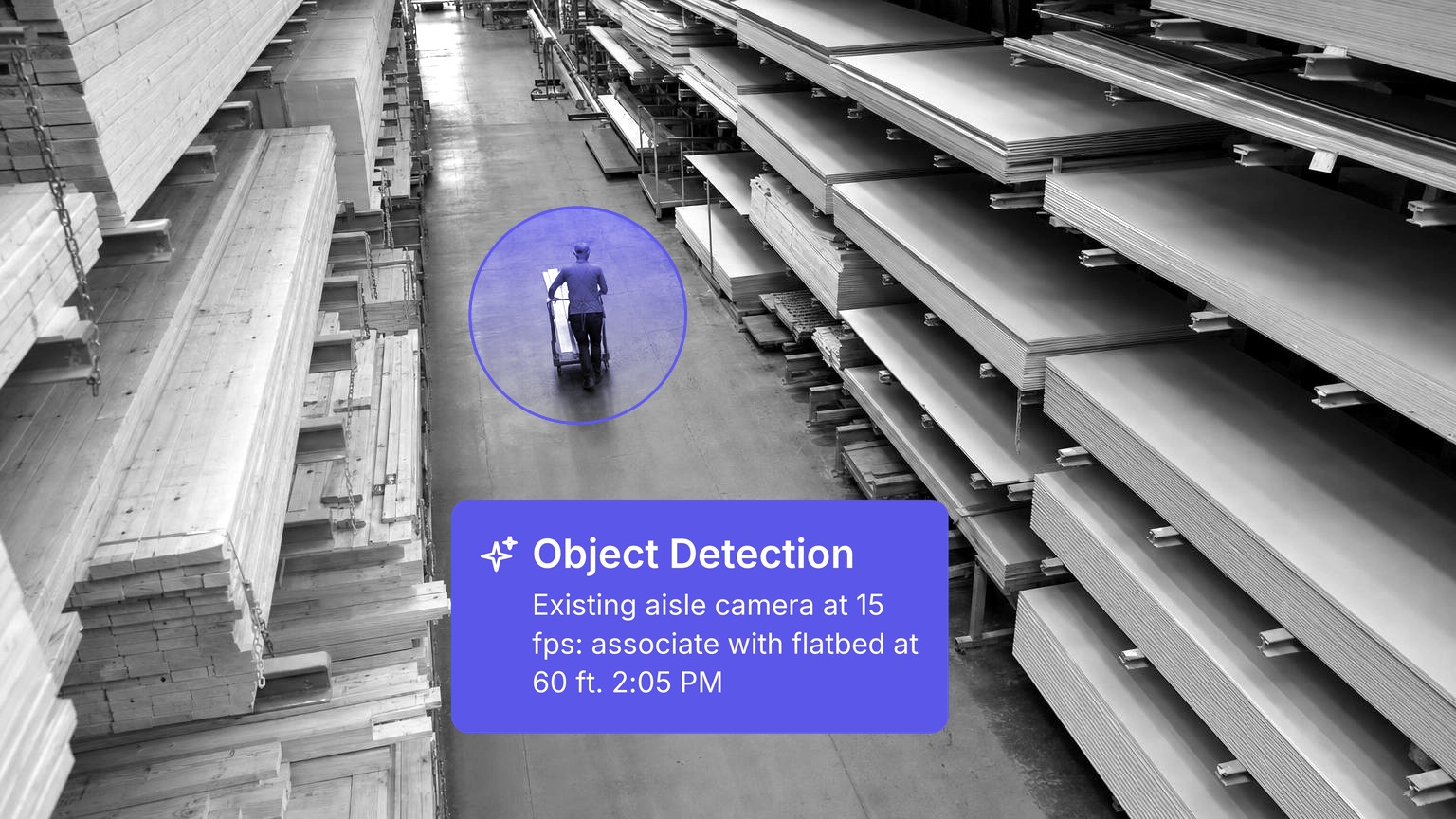
Pixels on the subject | A pixels-per-foot question, not a megapixel one. A 4 MP camera down a 60-foot aisle resolves far less than one over a doorway | Divide horizontal pixels by scene width |
Frame rate | About 10 to 15 frames per second is the floor for people and vehicles at walking speed | Read the configured rate, never the datasheet maximum |
Codec and stream count | H.264 and H.265 both feed Spot AI. H.265 halves the bitrate and raises decode cost, so compute is sized in streams | List the encoder profile and substreams |
A routable network path | The analysis has to reach the camera across the VLAN it sits on | Pull the stream from the appliance's own subnet |
Agreeing clocks | Every device on one NTP source, because a case is assembled from several cameras and an access event | Compare each clock to the source and log the drift |
Spot AI answers the last three rows with the IVR. It sits on the camera VLAN, pulls ONVIF streams locally, keeps full-resolution video in the building, and sends only metadata and case clips upward. That makes a retrofit a software change rather than a cabling project, and it is how legacy analog contributes: those cameras reach the platform through the recorder.
Six checks to run on the estate
Run them in order. Together they give you f, the share of the estate that survives.
1. Inventory by stream, not by model
Most camera inventories are asset lists: make, model, location, install date. An AI layer consumes streams, so rebuild the list around four columns: stream resolution, configured frame rate, encoder profile, substreams. The pitfall is counting cameras when you should count streams. A 40-camera site with main streams and substreams presents 80, and 80 is what your compute budget answers.
2. Confirm the ONVIF profile and the RTSP path
ONVIF conformance comes in profiles, and the names matter. Profile S covers video streaming and its configuration, which is what makes a camera readable by a third-party client. Profile G covers recording, search and retrieval, so a platform can pull history as well as live video. Profile T adds H.265, imaging settings, motion and tampering events, and metadata streaming. Two live details: Profile S is in the deprecation process, with the last conformance submissions due 31 March 2027, and ONVIF compatible is not ONVIF conformant. The pitfall is trusting the marketing line instead of testing.
3. Size resolution and frame rate against the detections you want
Write down the detections you want before judging a camera, because the floor moves with the job. Counting people through a doorway tolerates a far wider view than seeing whether a hand went into a register drawer. Horizontal pixels divided by scene width in feet gives pixels per foot: a 1920-pixel stream across a 24-foot scene gives 80, and that decides whether a detection is reliable or noisy. The pitfall is judging a camera on its sensor: 4 MP on ceiling tiles loses to 2 MP on the aisle.
4. Budget codec, bandwidth and decode load
Do the arithmetic before anyone quotes you a circuit. Budget a 4 MP stream at 15 frames per second at roughly 4 Mbps in H.264: 40 of them make 160 Mbps of continuous upstream if every stream leaves the site, about 43 GB per camera per day and roughly 52 TB over a 30-day retention window. In H.265 the same estate budgets at 2 Mbps a stream, 80 Mbps upstream and about 26 TB, at a higher decode cost. Spot AI sidesteps the uplink problem, because the IVR keeps full-resolution video on site. The pitfall is assuming H.265 is free: an appliance sized on camera count runs out of decode before inference.
5. Fix the network path and the PoE headroom
Cameras usually sit on their own VLAN behind an ACL written to keep them away from everything else, which is correct and also stalls the project for three weeks. Settle where the analysis runs, what it reaches, and who signs the firewall change. Then check the switch: PoE Type 1 delivers 15.4 W at the port and 12.95 W at the device, Type 2 delivers 30 W and 25.5 W, Types 3 and 4 reach 60 W and 90 W. Sum the class draw of every powered port against the switch's total budget, not its port count. The pitfall is a switch that passes on port count and fails on budget, which shows up as cameras dropping on cold mornings.
6. Synchronise the clocks, then settle credentials
Mis-synced clocks are the ordinary reason an investigation falls apart. NIST measured PC hardware clocks gaining or losing about 5 to 15 seconds a day, 10 seconds typical, and records NTP as delivering accuracy of 1 to 50 milliseconds (Source: National Institute of Standards and Technology). Two cameras left a month can sit minutes apart, enough to make two views of one incident look like two. Point every device at one NTP source and verify it. In the same pass, replace default credentials, give each device its own account, and settle who holds the certificates: Security Magazine reported more than 40,000 internet-connected cameras exposed online over HTTP or RTSP in June 2025, roughly 14,000 in the United States (Source: Security Magazine). The pitfall is one shared service account, which turns a single leaked credential into every camera you own.
What does not carry over
An honest assessment produces a reject list, and a vendor who says it is empty has not looked. Five things do not survive.
- Cameras below the detection floor. Too few pixels on the subject, or a frame rate in single digits, and the detection fires late or not at all. Those cameras keep recording, nothing more.
- Cameras with no standards-based stream. A device with no ONVIF or RTSP stream, exposing video only to its own application, cannot be read by anything else. Firmware sometimes unlocks it.
- Analog runs that reach no recorder. Spot AI brings legacy analog in through the IVR, so coax on a working recorder has a route forward. Coax terminating nowhere is a cabling job.
- Sites whose uplink cannot carry what is left. Edge processing cuts the upstream requirement hard and not to zero. A site on 5 Mbps upstream still carries metadata, alerts and case clips.
- Bad placement. No AI layer repairs a camera aimed at a wall, backlit by an afternoon window, or blocked by a stock cage. Coverage after the project is the coverage you have today, so list re-aims too.
Where a camera has to go, replace it and not the estate. The business camera system guide covers what to look for, and the 2026 buyer's guide for retail chains covers the category.
Three estates, three starting points
Operators arrive here from one of three architectures. None of the work turns on the brand on the box, because Spot AI treats the layer as the product and the cameras as inputs.
A modern cloud-managed camera network
Cameras, cabling, switching and placement carry over, and Spot AI reads the ONVIF streams these cameras publish. The work is confirming those streams are exposed to third-party clients, then the six checks. The risk sits in the contract, not the hardware: read what happens to footage and configuration at term end.
An on-premise VMS estate
Cameras and cabling carry over, and so does the recorder, which stays useful as the bridge for analog. Spot AI reads the same ONVIF streams the recorder reads, alongside it rather than through it. The work is settling where the analysis runs, putting it on the camera VLAN, and deciding which system holds retention. The risk is chain of custody while both hold the same day.
A mixed estate across acquired sites
More carries over than you expect, because Spot AI is camera-agnostic, so any ONVIF camera from Axis, Hanwha, Avigilon, Pelco, Hikvision or Dahua sits under one layer. The work is standardizing the inventory, since the variance is firmware, credentials and clocks rather than the cameras. One site with no documented credentials costs more than ten sites of old cameras. This is the common case, and the one incumbents answer worst.
What the AI layer adds, and where it stops
Camera-resident analytics do one thing per camera against a fixed rule set: a line crossed, a region entered, a lens covered. They are local. They do not reason about context, carry a case across cameras, or act.
Spot AI's layer adds context-aware detections across the estate, 15+ pre-trained Video AI Agents, and Iris, which builds a custom detection in natural language in about 8 minutes. It adds an action layer: a detection can notify by email, text, Slack or Teams, trigger strobes and horns, play natural-conversation talkdown, lock down access control, or open a case with time-stamped video. The retail loss prevention systems overview covers how that sits alongside POS, and the retail AI camera guide covers the detections.
State the limits in the same breath. Spot AI works inside the field of view you gave it, so the layer extends what your cameras do, not what they see. It does not use biometric identification, and outcomes are customer-reported rather than guaranteed. Alerting is only as reliable as the notification path behind it.
Key terms
- ONVIF profile. A conformance package. Profile S is streaming, Profile G recording and retrieval, Profile T adds H.265 and metadata, Profile M carries analytics metadata.
- RTSP. The protocol a client uses to set up a camera's media stream. A camera publishing RTSP can be read by more than its own app.
- Pixels per foot. Horizontal pixels divided by scene width at the point of interest, the number that decides whether a detection holds up.
- IVR (Intelligent Video Recorder). Spot AI's on-site recorder. It takes ONVIF IP cameras and legacy analog, keeps full-resolution video on site, and sends only metadata up.
Run check two on your five worst cameras first, not your five best. The best confirm what you assumed; the worst five set the reject rate and therefore the cost comparison. Half a day in the oldest wing of the oldest store is the most useful half day you will spend.
An add-on layer against a full refresh, as a formula
The comparison gets muddled because people price two different things. Both paths carry the same software subscription and appliance, so what separates them is hardware and installation. For N cameras over H months:
- Refresh path: N times (C plus I plus D), plus N times S times H, plus the appliance.
- Add-on path: the same, with f times N in place of N, plus assessment labor L.
- Difference: (1 minus f) times N times (C plus I plus D), minus L.
C is per-camera hardware, I is installation, D is decommissioning and disposal, S is monthly software per camera, and f is the share of cameras that fail the floor. Take C, I and D from your last refresh invoice, not a quote, because the invoice includes what a quote leaves out. S and the appliance cancel on both sides, which is what vendor arithmetic misses.
That leaves f as the only number you have to find, and the six checks find it. Price the labor too. The median annual wage for network and computer systems administrators was $99,130 in May 2025, and for computer network support specialists $76,220 (Sources: U.S. Bureau of Labor Statistics, U.S. Bureau of Labor Statistics). At 2,080 hours those are $47.66 and $36.64 an hour before burden, so a 40-camera site at a quarter hour per camera costs 10 hours, or $476.60 of wage-only time, about $11.92 a camera. At a 15 percent reject rate, that half day stands between replacing 40 cameras and 6.
Ask any platform for two artifacts before you sign: the ONVIF profiles and codecs it ingests, in writing, and the upstream bandwidth per camera at your retention setting. Two vendors that sound identical diverge there.
Staccato put it plainly after Spot AI went onto the camera infrastructure it already had across an 800-acre campus, seven weeks from first conversation.
"We needed something that could transform our camera system from a passive recording tool into a proactive partner in safety and security."
Mike Tiller, Director of Technology, Staccato
The pre-assessment checklist
Run this before the first call. Every blank is one a vendor will fill in for you.
- How many cameras, and how many streams including substreams?
- What resolution and frame rate is each stream configured at?
- Which cameras publish an ONVIF stream a third-party client can open, tested?
- Which encoder profile is each stream using, H.264 or H.265?
- What is the pixels-per-foot figure at the three places that matter?
- Which VLAN do the cameras sit on, and what rules separate them?
- What is the upstream bandwidth at each site, measured?
- What is the switch PoE budget against the class draw already on it?
- Is every device on one NTP source, and what is the worst drift?
- Are default credentials still in place, and who holds the certificates?
- Which analog runs terminate on a working recorder, and which nowhere?
Answer those eleven and you have f, your bandwidth position and a reject list. To see the layer on your own video, book a demo with Spot AI and bring the inventory. The Spot AI platform overview covers how the IVR and dashboard fit together, and the parking lot camera guide covers the outdoor half.
Frequently asked questions
Can I add AI to my existing security cameras without replacing them?
Spot AI is camera-agnostic and works with the cameras a business already owns, so in most estates the answer is yes for the large majority. The condition is a standards-based stream: an ONVIF camera publishing RTSP at a workable resolution and frame rate. Analog reaches the platform through the IVR.
What does a camera need to support for AI video analytics to work?
Four things, none a brand. A stream a third-party client can request, which means ONVIF over RTSP. Enough pixels on the subject at the distance that matters. A frame rate around 10 to 15 per second for people and vehicles. A network path to the analysis, clocks on one NTP source.
Do older analog cameras work with AI video analytics?
Spot AI brings legacy analog cameras in through the IVR, so a run terminating on a working recorder has a route forward without new cabling or an RTSP stream of its own. The limit is picture quality, not the connection: a camera resolving too few pixels still detects poorly.
How much bandwidth does AI video analytics need at each site?
Far less than streaming everything, because the architecture decides it. A 4 MP stream at 15 frames per second budgets at roughly 4 Mbps, so 40 make 160 Mbps of continuous upstream if every stream leaves the site. Spot AI's IVR keeps full-resolution video on site and sends only metadata up.
Is it cheaper to add an AI layer or to replace the cameras?
Both paths carry the same Spot AI subscription and appliance, so the gap is hardware and installation on every camera you kept. Work out f, the share of cameras that fail the ONVIF and pixel floor, and the comparison settles on your own invoice figures.
About the author
Joshua Foster, IT Systems Engineer
Joshua Foster is an IT Systems Engineer at Spot AI, where he focuses on designing and securing scalable enterprise networks, managing cloud-integrated infrastructure, and automating system workflows to enhance operational efficiency. He is passionate about cross-functional collaboration and takes pride in delivering robust technical solutions that empower both the Spot AI team and its customers.