






Grocery stores lose more to shrink than most retail formats—and the layout is a big reason why. Between sprawling parking lots, dozens of aisles, self-checkout banks, and receiving docks that operate on tight schedules, a single location can have more blind spots than a regional LP team has hours in the day. The 2026 Total Retail Loss Benchmark Report pegged total U.S. retail shrinkage at $90 billion annually, with roughly 73 percent of that loss classified as preventable through proper operational controls and security measures. For grocery operations specifically—where high-frequency transactions, perishable inventory, and multiple exit points compound the problem—a well-designed grocery store camera system is no longer optional. It is foundational infrastructure.
This guide maps the full grocery store perimeter, zone by zone, and explains what each area needs from cameras and Video AI Agents to deter theft and tighten control. It also covers why grocery has become one of the fastest-growing targets for organized retail crime (ORC), how point-of-sale (POS) integration turns transaction data into time-stamped evidence, and what a realistic deployment roadmap looks like for teams managing 20, 30, or 40+ locations.
Key terms to know
A few definitions to keep the rest of this article practical:
Term | Definition |
|---|---|
Shrink (shrinkage) | The gap between recorded inventory and actual inventory on hand, caused by theft, fraud, operational errors, or damage |
ORC (organized retail crime) | Coordinated, multi-person theft operations that target high-value consumables across multiple stores |
Exception-based reporting (EBR) | Automated analysis of POS transaction data that flags statistical outliers—excessive voids, refunds, or no-sale drawer opens |
Dwell time | The duration a person or vehicle remains in a defined zone, used to flag loitering or unusual behavior |
Attribute Search | The ability to filter recorded video by descriptors such as clothing color, vehicle type, or object characteristics |
Intelligent Video Recorder (IVR) | An on-prem edge device that processes video locally with AI before syncing metadata and clips to the cloud |
Why grocery is a high-priority ORC target
Grocery stores share a set of characteristics that make them attractive to organized theft crews. High customer volume provides cover. Multiple exit points—front doors, fire exits, receiving bays—create escape routes. And the merchandise itself has changed: high-value consumables like premium meats, baby formula, and health supplements are easy to resell.
A National Retail Federation survey representing $1.3 trillion in annual sales found an 18 percent year-over-year increase in shoplifting incidents, signaling a structural shift rather than a seasonal blip (Source: Building Security).
Meanwhile, the Appriss Retail benchmark breaks shrink into distinct categories that each require different camera coverage and operational responses:
Shrink category | Annual U.S. loss | Share of total |
|---|---|---|
Employee theft | $26 billion | 29% |
Inventory errors | $19 billion | 21% |
Operational inefficiencies | $12 billion | 13% |
Organized retail crime | $9 billion | Direct losses |
A single camera layout won't cover all four loss drivers. Checkout coverage catches register fraud. Aisle cameras deter concealment. Parking lot cameras document ORC staging. Loading dock cameras verify receiving accuracy. Each zone plays a distinct role in a layered grocery store loss prevention strategy.
Zone-by-zone camera placement for grocery stores
How many cameras do you need in a grocery store? The answer depends on square footage, layout, and risk profile—but the zones below represent the minimum coverage map for a high-volume location. A typical full-service grocery store may require 30 to 50 cameras across these areas.
Checkout lanes and self-checkout
Checkout is where the highest transaction volume meets the highest fraud risk. Effective coverage requires multiple angles per lane:
Overhead view capturing the full counter, basket, and merchandise movement.
Close-up on the cash drawer to document no-sale opens, cash handling, and potential skimming.
Customer-facing angle for identifying repeat offenders and documenting interactions.
Self-checkout deserves special attention. A survey of 100 retail leaders found that 77 percent reported moderate to severe shrinkage from self-checkout, driven by item hiding (71 percent), barcode switching (52 percent), and item pass-around (49 percent) (Source: Blue Star). Overhead and side-angle cameras at self-checkout lanes, paired with weight-verification integration, help flag anomalies for soft intervention by floor staff—a "let me help you scan that" approach that preserves customer experience while reducing loss.
Aisles, endcaps, and high-value displays
Wide-angle cameras positioned at aisle ends capture traffic flow and concealment behavior. Narrower-field cameras focused on high-theft categories—health and beauty, spirits, premium proteins—add the detail needed for identification. The combination of wide and focused coverage is critical: wide angles show where someone went, while focused cameras show what they did.
Parking lot and perimeter
ORC crews stage in the lot. They load merchandise into vehicles. They return to the same locations repeatedly. Parking lot camera systems with license plate recognition document these patterns and, when shared across locations, help identify coordinated theft rings (Source: Building Security).
Solar-powered mobile units with AI-based detection, deterrent lighting, and two-way audio offer flexible coverage for lots where permanent installation is impractical. These units can be repositioned as parking configurations change—a practical advantage for teams managing diverse real estate footprints.
Loading dock and receiving area
Receiving docks are where merchandise enters inventory. Losses here—whether from short shipments, diversion, or employee theft—often go undetected until cycle counts weeks later. Camera coverage should capture incoming merchandise, receiving documentation, dock worker activity, and goods movement into storage (Source: LogiMax WMS).
Back-of-house and storage
Employee break rooms and restrooms require careful consideration, but high-value storage zones, walk-in coolers with premium inventory, and trash compactor areas (a common merchandise exit point) benefit from targeted coverage. Clear written policies about camera placement in these areas reduce legal risk and increase employee acceptance.
From passive recording to active detection
Legacy closed-circuit systems operated on a simple premise: record everything, review later. That model fails in grocery for two reasons. First, the volume of footage is overwhelming—dozens of cameras running around the clock generate terabytes monthly. Second, the review happens after the loss, when the merchandise is already gone.
Video AI Agents change the workflow. Instead of humans watching screens, the camera system identifies high-risk conditions—loitering in a restricted zone, a no-sale drawer open at 2 a.m., a vehicle lingering near the loading dock after hours—and pushes alerts so teams can intervene while it's happening (Source: APS Security).
Spot AI's platform exemplifies this shift. The Intelligent Video Recorder processes video at the edge using NVIDIA GPUs, generating context-aware detections locally. Only relevant clips and metadata sync to the cloud dashboard, where LP teams across a district can search, review, and act—without streaming continuous high-resolution footage over the network.
Key capabilities that matter for grocery store loss prevention cameras include:
Capability | How it works in a grocery context |
|---|---|
Loitering / dwell time alerts | Flags individuals or vehicles lingering near entrances, docks, or restricted areas after hours |
Attribute Search | Type "red jacket in aisle 7" or "white van at loading dock" to retrieve matching clips in seconds |
POS integration (EBR) | Correlates no-sale drawer opens, excessive voids, and refund patterns with time-stamped video |
Camera health alerts | Notifies teams when a camera goes offline, preventing blind spots before they become exploitable |
Contextual talkdowns | Delivers situation-appropriate audio responses—distinguishing a delivery driver from an intruder |
Intelligent escalation | Adjusts response from lights to verbal warning to dispatch, based on behavior severity |
People counting / footfall | Tracks entry and exit counts for staffing optimization and occupancy awareness |
Queue management | Triggers alerts when checkout lines exceed defined thresholds, prompting lane openings |
POS integration turns transaction data into evidence
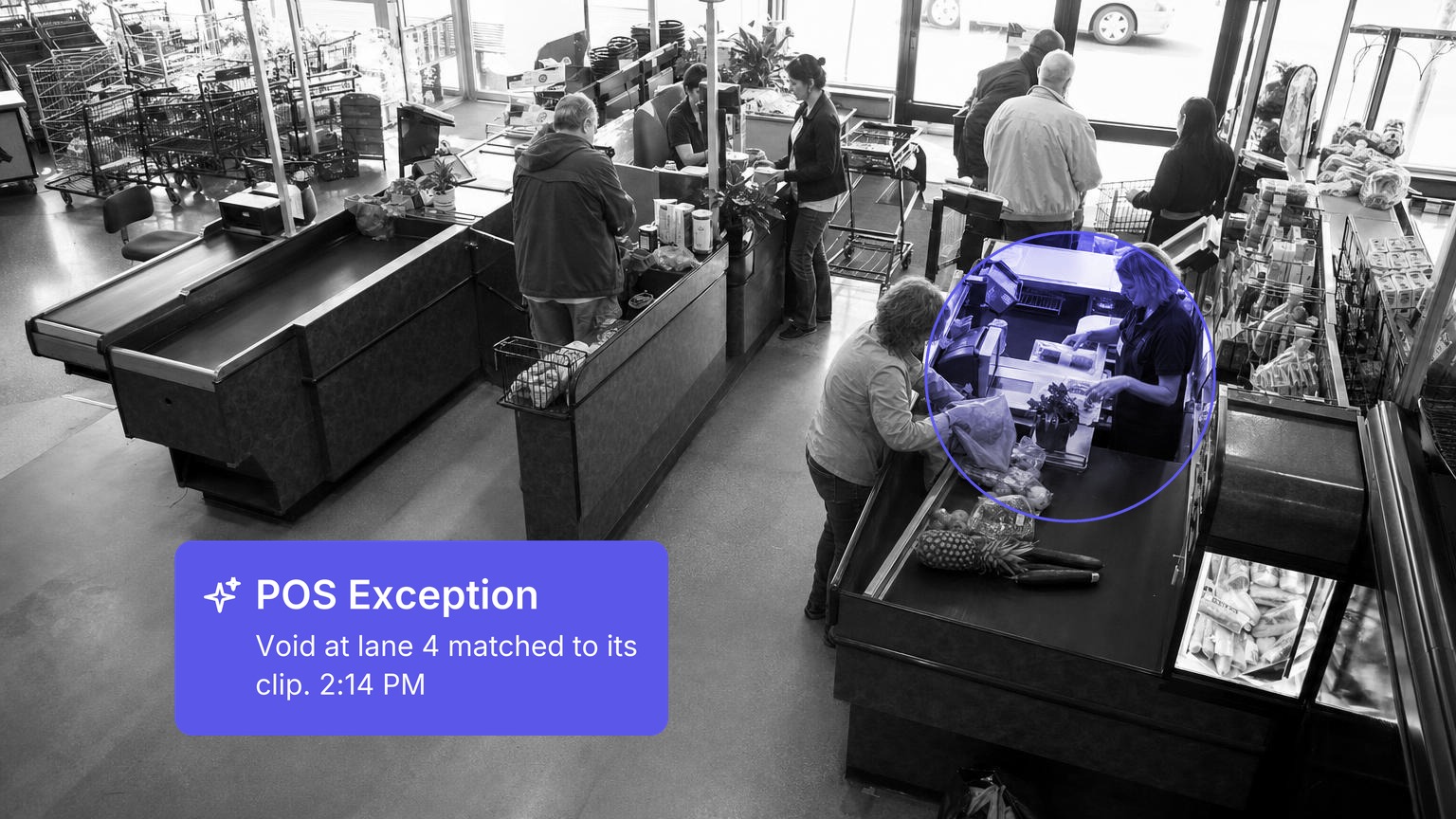
How do you verify a no-sale drawer open on video? With POS-integrated camera systems, the answer is: automatically. When exception-based reporting flags an anomaly—multiple refunds from one cashier, price overrides without authorization, or a pattern of discounts concentrated around a specific shift—the system retrieves and tags the corresponding video clips without manual effort (Source: Guardian Protection).
For a high-volume grocery store processing hundreds of transactions per hour, this integration collapses investigation time from hours to minutes. LP professionals no longer comb through footage frame by frame. They review pre-assembled evidence packages tied to specific exceptions.
The operational value extends beyond fraud detection. When analysis reveals a cashier with consistently high void rates, the root cause might be a training gap rather than theft. Video review of specific exceptions distinguishes between the two, enabling targeted coaching instead of blanket discipline.
How All Star Elite cut cash shrink from 6% to 1%
All Star Elite, a multi-location sports apparel retailer operating 80 stores across U.S. shopping centers, deployed Spot AI's unified video AI platform to address loss prevention and operational visibility gaps. The results were measurable:
Cash shrink dropped from approximately 6% to 1%—an 83% reduction.
Merchandise shrink fell from 10–15% to roughly 6%.
Investigation efficiency improved by over 50%, with incident resolution time dropping from hours to minutes using AI search and centralized case management.
Sales increased 5–15% by optimizing product placement using video and people-counting data.
The team used performance analytics to proactively close three underperforming stores.
Implementation included camera health dashboards and people-counting intelligence for operational metrics. Read the full All Star Elite case study for details on their deployment approach.
Reducing false alarms and investigation time
Alert fatigue is one of the fastest ways to kill adoption of any camera system. If every motion event generates a notification, LP teams stop paying attention—and the system turns into noise.
Context-aware detections solve this by distinguishing between normal activity (a customer walking past an endcap) and genuinely suspicious behavior (someone lingering near a locked case for an extended period). Spot AI's Video AI Agents analyze behavior patterns rather than raw motion, reducing noise so that the alerts teams receive represent actual risk.
Attribute Search further accelerates investigations. Rather than scrubbing through hours of footage, an investigator types a description—"person with backpack near pharmacy"—and the system returns matching clips. For ORC investigations where the same individuals or vehicles target a location repeatedly, this search capability turns pattern identification from a multi-day project into a task completed in minutes (Source: Total Retail).
Scaling coverage across a district without adding headcount
Managing 20 to 40 grocery locations with limited LP staff means that no single person can physically be present at every store during every shift. The question becomes: how do you maintain a credible control presence across all locations without proportionally scaling labor costs?
Spot AI's cloud dashboard gives LP leaders control across every store in a district. Role-based access ensures store managers see only their location's data, while regional leaders view aggregate dashboards and drill into individual sites as needed. Standardized alert thresholds and escalation workflows mean that similar incidents generate uniform responses regardless of location.
The platform works with any existing IP camera through ONVIF and RTSP protocols—no rip-and-replace required. Teams can deploy the IVR at a new location and have the system live in under a week, connecting existing cameras to the cloud dashboard without rewiring the store.
For after-hours coverage, the AI Security Guard acts as a proactive teammate: detecting loitering, triggering strobes and contextual voice-downs, and escalating to dispatch when warranted. This replaces inconsistent guard rotations with 24/7 automated deterrence that operates at every location simultaneously.
Considerations before deploying
No camera system eliminates shrink entirely. Several factors influence how much value a deployment delivers:
Camera placement quality matters more than camera quantity. Thirty well-positioned cameras outperform fifty poorly aimed ones. Prioritize checkout, high-value merchandise, receiving docks, and parking lots before filling in general aisle coverage.
Network infrastructure must support the load. Edge processing via the IVR reduces bandwidth demands significantly, but stores with aging network equipment may need upgrades to avoid congestion that affects POS and other business-critical systems.
Training determines utilization. Advanced search, POS integration, and alert management capabilities only deliver value if staff know how to use them. Allocate time for training during rollout—not after.
Written policies build trust. Communicate clearly to employees where cameras are positioned and why. Transparency reduces legal risk and increases acceptance.
Pilot before scaling. Start with two to three high-shrink locations, define success metrics (incident rate, investigation time, shrink rate), and use pilot results to build the internal business case for district-wide rollout.
Building the ROI case for grocery store security cameras
Direct shrink reduction is the most visible return, but it is not the only one. A complete ROI model for grocery store security cameras accounts for several value streams:
Value stream | Example |
|---|---|
Direct loss recovery | Identifying and addressing theft patterns that reduce shrink by 10–15% at targeted locations |
Investigation labor savings | Cutting weekly investigation time by 4–6 hours per location through automated search and POS correlation |
Guard cost offset | Replacing overnight guard rotations with automated deterrence at perimeter locations |
Operational efficiency | Optimizing staffing through people counting and queue management data |
Merchandising improvement | Using foot traffic and dwell time data to refine product placement and store layout |
For a high-volume grocery store with estimated annual shrinkage of $200,000 to $300,000 at typical rates, even a 10 to 15 percent reduction generates $20,000 to $45,000 in annual direct savings—before accounting for labor efficiency and operational gains.
Take the first step toward district-wide coverage
Shrink grows in the gap between recording incidents and deterring them. Grocery store camera systems built on video AI close that gap by acting on what they see—flagging loitering in the lot, correlating POS exceptions with time-stamped footage, and escalating after-hours intrusions with contextual talkdowns.
"Before implementing this system, tracking tailgating relied entirely on human observation. Now we receive instant alerts when someone holds the door open or if multiple people enter in quick succession, allowing us to address security protocols in real-time rather than after the fact."
Mike Tiller, Director of Technology, Staccato (Source: Spot AI Customer Story)
If you are evaluating grocery store loss prevention cameras for a multi-location rollout, see how Spot AI works with your store format and existing cameras—request a demo.
Frequently asked questions
What are the best security cameras for grocery stores
The best grocery store security cameras combine high resolution (4K or better for identification-quality footage), strong low-light performance for parking lots and loading docks, and compatibility with open protocols like ONVIF and RTSP. Camera-agnostic platforms like Spot AI allow teams to keep existing hardware while adding video AI capabilities through the Intelligent Video Recorder, avoiding costly rip-and-replace projects.
How can I reduce shrinkage in my grocery store
Shrink reduction requires a layered approach. Start with comprehensive checkout coverage integrated with POS exception-based reporting to catch register fraud and training gaps. Add focused cameras on high-value merchandise and self-checkout lanes. Extend coverage to the parking lot and receiving dock to address ORC staging and back-of-house loss. Video AI analytics tie these zones together, enabling pattern identification across the full customer and merchandise journey.
What is the ROI on grocery store security camera systems
ROI comes from multiple streams: direct shrink reduction, investigation labor savings, guard cost offsets, and operational improvements like staffing optimization through people counting. All Star Elite, for example, reduced cash shrink from 6% to 1% and saw 5–15% sales increases from video-informed merchandising decisions after deploying Spot AI across 80 locations.
How should I place cameras in my grocery store for maximum effectiveness
Prioritize coverage in this order: checkout lanes (including self-checkout), high-value merchandise displays, receiving docks and back-of-house storage, parking lot and perimeter, then general aisle coverage. Each zone addresses a different loss vector. Multi-angle coverage at checkout—overhead, drawer close-up, and customer-facing—captures the widest range of fraud types from a single area.
How many cameras does a grocery store need
A typical high-volume grocery store requires 30 to 50 cameras to cover checkout areas, self-checkout, high-value merchandise, aisles, entrances and exits, the parking lot, receiving dock, and back-of-house zones. The exact count depends on store layout, square footage, and risk profile. Starting with high-return areas and expanding based on pilot results is more effective than attempting full coverage on day one.
About the author
Sud Bhatija is COO and Co-founder at Spot AI, where he scales operations and GTM strategy to deliver video AI that helps operations, safety, and security teams boost productivity and reduce incidents across industries.

