






Video analytics for retail stores: what each analytic catches, and where
Video analytics for retail stores work one analytic at a time: each one watches a defined part of the store for one kind of loss, then deters it, builds a case around it, or adds it to a trend. Spot AI runs more than 15 pre-trained video AI agents on the cameras a store already owns, and this map shows what each retail analytic catches, where it works, and what it needs from the camera above it. Losses have shifted toward repeat patterns: shoplifting incidents fell 12.4% in 2025 against 2024, yet 50% of retailers reported more repeat offenders and 37% reported more walkout or pushout theft (Source: National Retail Federation).
The map is written for convenience and fuel operators first and specialty retailers second. Choosing a system is covered in our retail buyer's guide, organized by store format, and the full stack in the five layers of a retail loss prevention system. This page sits one level below both, at the single analytic.
Key takeaways
- Spot AI's retail analytics start from a context-aware detection and then do one of three jobs: deter in the moment, hand an investigator a case, or feed a trend report.
- Spot AI analyzes only what an installed camera sees, so each analytic has its own camera requirement, from a lit wide view of the lot to a narrow angle on the lane for plates.
- Convenience and fuel sites gain most from outdoor analytics that deter without sending an associate outside, while specialty retailers lean on the register and the stockroom.
- Spot AI can resolve routine detections automatically and file the rest as timestamped cases, which is where a lean loss prevention team gets its hours back.
- All Star Elite, an 80-location sports jerseys and apparel retailer, reports that it has cut cash shrink from 6% to 1% since early 2023 (customer-reported).
Key terms
- Analytic: a pre-trained video AI agent watching a defined zone for one behavior, such as loitering at the pumps. Spot AI runs more than 15 of them, plus custom ones a team builds in Iris.
- Context-aware detection: a detection that weighs location, time of day, movement, and how people, vehicles, and objects relate before it fires. Spot AI uses it to tell a delivery van at the side door from a car circling the lot after midnight.
How the map works: detect, deter, investigate, resolve
Spot AI runs every retail analytic through the same four steps:
- Detect. Spot AI reads behavior in context rather than raw motion. A leading SOC platform integrated with more than 20 VMS platforms reports a single-digit false-positive rate on Spot AI, against about 50% on legacy VMS (customer-reported).
- Deter. Spot AI can play a natural-conversation talkdown, trigger strobes and horns, play an intercom message, lock down a door, and notify staff by text, email, Slack, or Teams.
- Investigate. Spot AI files the clip, with its time, camera, and location, as a case.
- Resolve. Spot AI can close routine detections with nobody in the loop and route the rest to whoever owns the zone. In a one-week pilot at one retail customer, 40 of 54 detections were resolved automatically.
The map's last column names the job each analytic mostly does after detection: a store with nobody free to walk outside needs analytics that deter on their own, and a chain with one investigator and forty stores needs ones that hand over a case.
The capability map: each analytic, the loss, the zone, and the camera it needs
Spot AI's retail analytics are mapped below against five zones: forecourt and lot, entrance, aisles, register, and stockroom (including back doors, receiving, and the cash office):
Analytic | Loss it addresses | Where it works | What it needs from installed cameras | Deters, investigates, or reports |
|---|---|---|---|---|
Loitering, people | Casing before a theft run, and after-hours gathering that leaves associates feeling unsafe | Forecourt and lot, entrance | A wide, fixed view of the zone, lit or infrared at night | Deters: Spot AI plays a talkdown, then strobes and horns |
Loitering, vehicles | Vehicles idling overnight with nobody going in, a common lead-in to a break-in | Forecourt and lot | A view of the parking rows that keeps the vehicle in frame for the whole dwell | Deters: Spot AI warns over the lot speaker and notifies the manager on call |
Vehicle break-in | Smashed windows and property taken from customer and staff cars | Forecourt and lot | A lit view across the parked rows, not of the front door | Deters and investigates: Spot AI sounds the deterrent and saves the clip to a case |
Fence jumping | Entry into rear lots, dumpster enclosures, and storage yards after close | Forecourt and lot (rear of the store) | A view along the fence line | Deters: Spot AI triggers talkdown, strobes, and horns at the fence |
Unauthorized entry | After-hours entry through front, rear, or stockroom doors | Entrance, stockroom | A camera on each door that matters, with store hours as the schedule | Deters: Spot AI sounds the deterrent, can lock down access-controlled doors, and notifies the on-call contact |
Crowding | Groups entering together for a sweep, and crowds at a high-value fixture | Entrance, aisles | A high-angle view and a headcount threshold for the zone | Deters and reports: Spot AI alerts staff or plays an intercom message once the count passes the threshold |
License plates of interest | Repeat offenders, vehicles tied to past drive-offs, and crews working several stores | Forecourt and lot, at the entry and exit lanes | A narrow view of the lane at plate height | Investigates: Spot AI reads plates and alerts when a listed vehicle returns |
Register exceptions from the POS | Refund fraud and sales rung up with no customer present | Register | An overhead view of each drawer, a POS connection, and matched clocks | Investigates: Spot AI pairs each flagged transaction with its clip |
Tailgating | A second person through an employee-only door on one opening | Stockroom, cash office, receiving door | A view from the secure side, ideally paired with access control events | Investigates: Spot AI flags each tailgate with its clip |
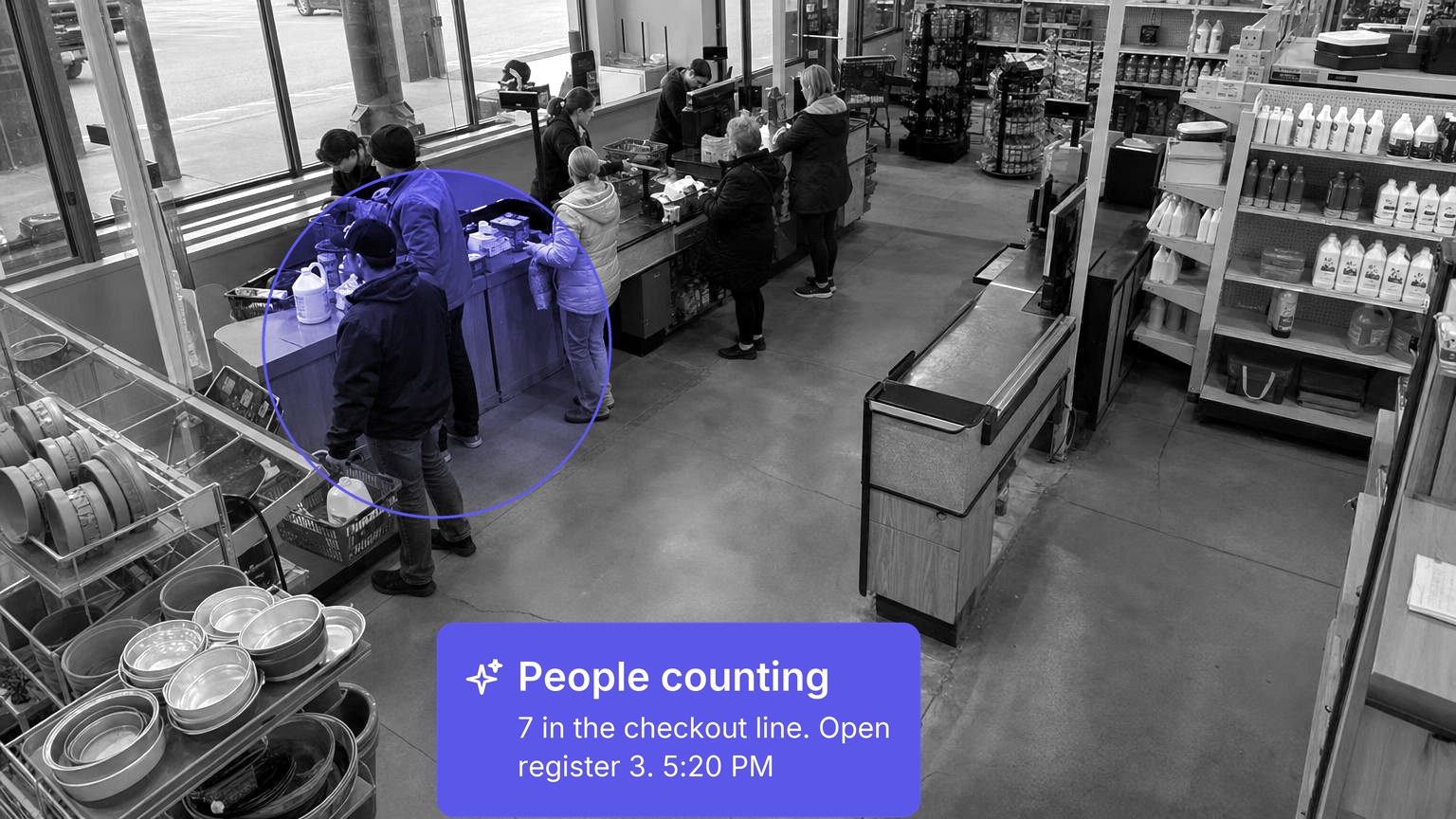
Unattended checkout or kiosk | Walkaways, waiting customers, and an open counter with no associate | Register, including self-checkout and kiosks | A view of the customer side and the spot where an associate should stand | Reports: Spot AI pings the store when a counter stays unattended |
Custom detection built in Iris | A loss specific to one chain, such as a stockroom door left open outside delivery windows | Any zone | Whatever view the behavior needs | Set by the team: Spot AI builds it from a plain-language description in about 8 minutes |
Agents Reporting | Patterns no single incident shows, such as the hour or the door where events cluster | All five zones | Cameras named consistently by store and zone | Reports: Spot AI rolls detections into trends by agent, camera, and location |
Read down the last column and a pattern appears: the outdoor rows mostly deter, because the lot is where a small crew cannot go, and the indoor rows mostly investigate, because register and stockroom losses surface after the fact.
Read the map by loss, not by feature. Take last quarter's three largest losses, find the row that answers each one, and check its camera column against the cameras already on the wall before shortlisting anything.
Which analytics to switch on first
Spot AI can run the whole map from the first week, but most chains start with the rows that answer a loss they already measure, so the first month produces a number. The budget case needs one: in Deloitte's June 2026 survey of 200 retail and consumer products executives, 75% called AI a top strategic priority, but only 16.5% could quantify a return (Source: Deloitte). Three questions set the order:
- Where does the loss happen? Losses in the lot point to the deterring rows, and losses at the register or in the stockroom point to the investigating rows.
- Is anyone there to respond? At a site with one associate overnight, start with the analytics that act on their own.
- Does a camera already see it? A row whose camera requirement is met can run this week, and one that needs a re-aim or a new angle goes on the install list.
A convenience and fuel chain usually starts outside, with loitering, break-ins, and after-hours entry, then adds plates and register exceptions. A specialty retailer usually starts at the register and stockroom, then adds crowding at high-value fixtures.
To see which rows your own cameras can run, book a demo with Spot AI and bring one clip from the lot after dark and one from a busy register.
Deterring analytics: forecourt, lot, and after-hours doors
Spot AI's deterring analytics cover the zones a small crew cannot reach, which on a fuel site is most of the property. OSHA describes the setting plainly: at gas stations, convenience stores, and other late or all-night businesses, "few witnesses, accessible cash, poorly lit stores and darkened parking areas often attract dangerous thieves" (Source: OSHA). That makes lighting the first camera requirement for every outdoor row.
Loitering, people and vehicles
Spot AI flags a person or vehicle that stays in a zone past a set dwell time, such as the pump islands, the vacuum bays, or a storefront after close, then escalates from a spoken warning to strobes and horns. NRF's 2026 study records increases in homelessness-related disruptions and guest-related incidents, with 61% of retailers investing in risk-intelligence technologies in response (Source: National Retail Federation). Our guide to dwell thresholds and night tuning for lots and forecourts covers the settings, and what a talkdown should say covers the warning. Blackmon Oil, an 11-location family fuel and convenience business in rural Arkansas, runs vehicle loitering overnight:
"We've set up a Spot AI vehicle loitering filter to keep our parking lots clean and safe, especially for our 24/7 stores. Even with a smaller overnight crew, we want eyes on the lot at night."
Kelsey Blackmon, Marketing & Technology VP, Blackmon Oil Co.
Vehicle break-ins and fence jumping
Spot AI flags vehicle break-ins in the lot and people crossing a fence into a rear lot or enclosure, and answers both with talkdown, strobes, and horns while saving the clip. The angle decides both: across the parked rows for break-ins, along the fence for crossings. Our page on car break-ins in retail parking covers lot layout.
Unauthorized entry after hours
Spot AI treats a door opening outside store hours as an event in itself, so the schedule does most of the work. When it fires, Spot AI can sound the deterrent, lock down access-controlled doors, and notify the on-call manager, so the first person to hear about an after-hours entry is not the opener the next morning.
Crowding at the entrance and high-value fixtures
Spot AI counts people in a zone and alerts when the count passes the threshold set for it, such as six people at a fragrance bay. Because most crowds are customers, the usual response is a staff alert or an intercom message rather than a warning aimed at shoppers. The analytic reports a live count against a threshold; it does not forecast one.
Investigating analytics: plates, register exceptions, controlled doors, and unattended lanes
Spot AI's investigating analytics cover the losses that surface after the fact. Their output is a timestamped case an investigator can act on.
License plates of interest
Spot AI reads license plates at the entry and exit lanes and alerts when a listed vehicle returns. A wide forecourt view is usually too far away to read a plate, so the lane needs its own narrow angle, aimed so a moving vehicle stays sharp. Who goes on the list and how long plate data is kept are covered in our guide to running a vehicle watch list across a chain.
Register exceptions from the POS
Spot AI connects to the point-of-sale system and pairs each flagged transaction, such as a refund or a sale with no customer present, with the clip of that lane at that moment. The POS and video clocks have to match: a two-minute drift sends the investigator to the wrong customer. The method is exception-based reporting, and the path to a closed case is in our guide to register theft, from detection to a closed case.
Tailgating at the stockroom, cash office, and receiving door
Spot AI flags a second person following through an employee-only door on a single opening. A tailgate is rarely a theft on its own, so this row investigates rather than deters: the clip goes to a case, and repeated tailgates at one door show up in reporting.
Unattended checkouts and kiosks
Spot AI pings the store when a counter, kiosk, or self-checkout area stays unattended, which turns an empty register into a staffing signal. Self-checkout raises the stakes: ECR Retail Loss's June 2026 study of 39 retailers found that every additional 10,000 transactions bring 1,000 additional help calls to staff and 90 walkaways, and that walkaways cause the highest loss per incident (Source: ECR Retail Loss). Our guide to unattended checkouts and kiosks covers the common scenarios.
Resolve and report: from single incidents to patterns across stores
Spot AI closes the loop twice. Each incident is resolved or routed, with routine detections closed without review and the rest sent to the right owner with the clip attached, and every detection also rolls into reporting.
The results show up in shrink and in case timelines. All Star Elite, an 80-location sports jerseys and apparel retailer, reports that since early 2023 it has cut cash shrink from 6% to 1%, with investigations running 50% faster. Measured against its baseline before Spot AI, it also cut merchandise shrink from 10-15% to about 6%, with law-enforcement case timelines down from 2-3 months to 1 month. All four figures are customer-reported, from the All Star Elite customer story.
Spot AI's Agents Reporting turns detections into trends across days, weeks, and months, broken down by agent, camera, and location, so a district manager can see after-hours entries clustering at two stores. Linked across locations, those patterns support connecting organized retail crime incidents across stores. Rolled up by region, they feed the dashboards a chain's loss prevention executives review. Where a loss has no row in the map yet, Spot AI's Iris adds one.
Give every row in the map a named owner before switching it on. A loitering alert routed to the store manager and a register exception routed to the district investigator get acted on, while the same alerts sent to a shared inbox mostly do not.
Checking what your installed cameras can run
Spot AI is camera-agnostic: it connects IP cameras over ONVIF, brings legacy analog cameras in through its Intelligent Video Recorder (IVR), and most sites go live in days. The IVR keeps full-resolution video in the store and sends only metadata across the network, which keeps deployments PCI-clean, and Spot AI is NDAA-compliant and follows SOC 2 practices. A short audit per store turns the camera column of the map into a worklist:
- Export one still per camera at midday and one after dark, labeled by zone.
- Match each camera to the rows it could serve.
- Mark the re-aims: a side view of the register shows the customer but not the drawer.
- List the gaps: where no camera covers a zone, no analytic covers it either.
- Check the deterrent side: where a speaker, strobe, or horn can reach, and whether the POS clock matches the recorder.
Stream checks are in our guide to checking streams on a camera network you already own, and forecourt placement in our guide to camera placement at a convenience and fuel site.
Where video analytics for retail stores stop
Spot AI, like any video analytics system, works within limits worth planning for before a rollout:
- Coverage follows the cameras, so a blind corner stays blind until someone adds a view.
- Deterrence lowers the likelihood of an incident without removing it, and store policy still decides whether an associate approaches anyone.
- A detection is a prompt for review, not a judgment about a person. Most people a loitering or crowding analytic counts are customers.
- The first weeks at a new store are for tuning, and the detections a team dismisses show which thresholds sit too low.
Putting the map to work in your stores
Spot AI turns the cameras a store already owns into analytics that each answer one loss: deterring on the forecourt and lot, building cases at the register and stockroom, and rolling every detection into trends a chain can manage. The next step is narrow. Pick last quarter's three costliest losses, find their rows in the map, and check whether the cameras above those zones can run them today. Book a demo to run that check on footage from your own stores.
Frequently asked questions
What can video analytics detect in a retail store?
Spot AI's retail video analytics detect loitering by people and vehicles, vehicle break-ins, fence jumping, after-hours entry, crowding, tailgating, license plates of interest, unattended checkouts and kiosks, and register exceptions from the POS. Each analytic watches a defined zone and fires on a threshold set for that zone.
Do video analytics for retail stores work with existing cameras?
Spot AI connects to the IP cameras a store already owns over ONVIF and brings legacy analog cameras in through its Intelligent Video Recorder. Whether a given analytic works comes down to the view: plate reads need a narrow angle on the lane, and register exceptions need an overhead view of the drawer.
Do retail video analytics deter theft or only record it?
Spot AI's outdoor analytics act in the moment: loitering, vehicle break-ins, fence jumping, and after-hours entry can trigger a natural-conversation talkdown, strobes, and horns. Indoor analytics such as register exceptions and tailgating mostly investigate, attaching each event to a timestamped case. Either way, deterrence lowers the likelihood of an incident rather than removing it.
How do video analytics connect to the POS?
Spot AI takes in transaction events from the point-of-sale system and links each flagged one, for example a refund or a sale with nobody at the counter, to the video from that register at that time. The setup needs an overhead camera on each drawer and the same clock on the POS and the recorder.
Which video analytics matter most for convenience stores and gas stations?
Spot AI's forecourt and lot analytics matter most at convenience and fuel sites: people and vehicle loitering, vehicle break-ins, after-hours entry, and plates of interest at the lanes. They deter or alert without sending an associate outside, which counts on an overnight shift with one or two people.
About the author
Dunchadhn Lyons is Director of AI Engineering at Spot AI. Dunchadhn Lyons leads Spot AI's AI Engineering team, building real-time video AI for operations, safety, and security, turning video data into alerts, insights, and workflows that cut incidents and boost productivity.